
Netflix sur Nintendo Switch et Switch 2 : est-ce possible ?


.png)
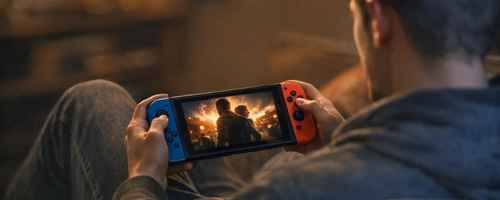
Peut-on regarder Netflix sur Nintendo Switch ?
Non, Netflix n’est pas disponible sur Nintendo Switch, Switch Lite ou Switch OLED. L’application ne peut pas être téléchargée depuis le Nintendo eShop et la console ne fait pas partie des appareils pris en charge par Netflix.
La situation est la même pour la Nintendo Switch 2 (août 2026). Aucune application Netflix n’est proposée et aucune date de sortie n’a été annoncée.
- Console|Application Netflix|Lecture dans un navigateur|Diffusion depuis un téléphone
- Nintendo Switch|Non disponible|Non disponible|Non
- Nintendo Switch Lite|Non disponible|Non disponible|Non
- Nintendo Switch OLED|Non disponible|Non disponible|Non
- Nintendo Switch 2|Non disponible|Non disponible|Non
- PlayStation compatible|Disponible|Inutile|Selon l’équipement
- Xbox compatible|Disponible|Inutile|Selon l’équipement
Netflix cite actuellement les consoles PlayStation et Xbox parmi les consoles compatibles. Les modèles Nintendo ne figurent pas dans cette liste.
Peut-on télécharger Netflix depuis le Nintendo eShop ?
Non. Rechercher « Netflix » dans le Nintendo eShop ne permet pas d’installer le service.
Changer le pays de votre compte Nintendo ne résout pas le problème. Il n’existe pas de version française, américaine ou japonaise cachée de l’application destinée à la Switch.
Netflix a déjà été proposé sur d’anciennes consoles Nintendo. Les applications Wii U et Nintendo 3DS ont toutefois été retirées du Nintendo eShop en 2020, puis arrêtées en 2021. Cela ne signifie pas qu’une version Switch existe aujourd’hui.
Vous pouvez donc éviter de perdre du temps à :
- changer la région du compte Nintendo
- chercher un code de téléchargement Netflix
- créer un compte Nintendo étranger
- installer une mise à jour système dans l’espoir de faire apparaître l’application
- rechercher Netflix dans les logiciels déjà téléchargés
Une mise à jour reste utile pour la sécurité et les jeux, mais elle ne peut pas installer une application qui n’existe pas sur la console.
Netflix fonctionne-t-il sur Nintendo Switch 2 ?
La Switch 2 ne change pas la réponse : Netflix n’est pas disponible sur la console.
Le nouveau matériel pourrait techniquement faire fonctionner un service de streaming, mais cela ne suffit pas. Netflix doit développer une application adaptée, la maintenir et la publier sur le Nintendo eShop. Tant que cela n’est pas fait, aucune option ne peut être activée dans les paramètres.
Nintendo et Netflix n’ont pas donné d’explication précise sur cette absence. Il serait donc hasardeux d’affirmer que la console manque de puissance ou que Nintendo refuse volontairement les services vidéo.
Il n’existe pas non plus de date confirmée pour une arrivée future. Méfiez-vous des articles annonçant une sortie sans renvoyer vers une communication de Nintendo ou de Netflix.
Peut-on regarder Netflix avec le navigateur caché de la Switch ?
La Switch utilise bien une interface web limitée pour certaines opérations, notamment la connexion à des réseaux Wi-Fi publics. Mais il ne s’agit pas d’un navigateur classique comparable à Chrome, Safari ou Firefox.
Vous ne pouvez pas l’ouvrir librement pour vous rendre sur Netflix et regarder une vidéo. Les protections utilisées par le service rendent également les méthodes de redirection par DNS très peu fiables.
Les tutoriels reposant sur un « navigateur caché » peuvent :
- cesser de fonctionner après une mise à jour
- rediriger le trafic vers un serveur tiers
- demander de modifier les paramètres DNS
- exposer la navigation ou les identifiants saisis
- ne jamais réussir à lancer la vidéo
Même si une page web finit par s’afficher, cela ne transforme pas la Switch en appareil compatible avec Netflix.
⚠️ Ne saisissez jamais le mot de passe de votre compte sur une page ouverte par une méthode de contournement.
Peut-on installer un fichier APK Netflix sur Switch ?
Non. Les fichiers APK sont conçus pour Android. La Nintendo Switch et la Switch 2 n’utilisent pas Android comme système d’exploitation.
Un fichier Netflix récupéré sur Internet ne peut donc pas être installé comme sur un smartphone ou une box Android TV.
Certaines manipulations promettent de modifier complètement la console pour y installer un autre système. Elles sortent du fonctionnement prévu par Nintendo, peuvent rendre la console instable et risquent de bloquer l’accès à certains services en ligne.
Pour regarder une série, le jeu n’en vaut franchement pas la chandelle. Une clé de streaming ou un téléphone offrira une expérience bien plus simple.
Peut-on caster Netflix vers une Nintendo Switch ?
Non. La Nintendo Switch ne fonctionne pas comme un Chromecast et ne peut pas recevoir la vidéo envoyée par l’application Netflix d’un téléphone.
Elle n’apparaît donc pas dans la liste des appareils lorsque vous touchez l’icône Cast. Son Bluetooth sert principalement aux manettes et aux appareils audio, pas à recevoir un flux vidéo.
La Nintendo Switch App installée sur smartphone ne permet pas non plus d’envoyer Netflix vers la console. Elle sert aux fonctions liées aux jeux, aux amis et aux captures.
Le dock peut-il recevoir l’image d’un téléphone ou d’un ordinateur ?
Non. Le port HDMI du dock est marqué HDMI OUT : il envoie l’image de la console vers la télévision.
Il ne s’agit pas d’une entrée HDMI. Vous ne pouvez donc pas brancher un smartphone, un ordinateur ou une autre console sur le dock pour afficher Netflix sur l’écran de la Switch.
La Switch Lite ne possède quant à elle aucun mode TV et ne fonctionne pas avec le dock.
Quelles solutions utiliser à la place de la Switch ?
L’absence de Netflix sur Switch est surtout gênante si vous comptiez utiliser la console comme lecteur vidéo portable ou comme boîtier relié au téléviseur. Heureusement, les solutions de remplacement sont simples.
- Votre besoin|Solution conseillée|Avantage principal
- Regarder Netflix sur la même TV que la Switch|Application de la Smart TV|Aucun appareil supplémentaire
- Ajouter Netflix à une TV ancienne|Clé ou boîtier de streaming|Installation simple en HDMI
- Utiliser une console déjà branchée|PlayStation ou Xbox compatible|Application Netflix disponible
- Regarder en déplacement|Smartphone ou tablette|Téléchargements hors connexion possibles
- Utiliser la box Internet|Application intégrée à la box|Une seule télécommande
- Regarder depuis un ordinateur|Câble HDMI vers la TV|Pas d’achat supplémentaire
- Diffuser depuis un téléphone|Appareil compatible avec Cast|Contrôle depuis le mobile
Installer Netflix directement sur la télévision
Si votre Switch est branchée sur une Smart TV, recherchez Netflix dans le menu des applications de la télévision. L’application est souvent préinstallée ou disponible dans la boutique intégrée.
Le guide expliquant comment installer Netflix sur une TV présente les étapes pour une Smart TV, une box, une console et un appareil HDMI.
Ajouter une clé de streaming
Pour une télévision sans application, une clé de streaming reste l’option la plus pratique. Elle utilise un port HDMI, comme la Switch, mais possède sa propre interface et sa propre télécommande.
Vous pouvez ainsi passer de la Switch à Netflix en changeant simplement la source HDMI de la TV. 🎮
Regarder Netflix sur un téléphone ou une tablette
Un smartphone ou une tablette remplace facilement l’écran portable de la Switch. L’application Netflix permet également de télécharger certains films et épisodes pour les regarder sans connexion.
C’est la meilleure solution pour un trajet en train ou en avion. En revanche, les téléchargements restent dans l’application Netflix et ne peuvent pas être transférés sur la Switch.
Utiliser une PlayStation ou une Xbox
Netflix prend en charge plusieurs consoles PlayStation et Xbox. Si l’une d’elles est déjà reliée au téléviseur, vous pouvez installer l’application depuis sa boutique.
Aucun abonnement de jeu en ligne n’est nécessaire pour souscrire Netflix. Vous devez uniquement disposer d’un compte Netflix actif et d’une connexion Internet.
Relier un ordinateur à la TV
Un câble HDMI permet d’afficher Netflix depuis un ordinateur :
- branchez l’ordinateur sur la télévision
- sélectionnez la bonne entrée HDMI
- ouvrez Netflix dans un navigateur compatible
- lancez le programme en plein écran
Cette solution est moins élégante qu’une application TV, mais elle fonctionne très bien pour un usage occasionnel.
AirPlay permet-il de remplacer Netflix sur Switch ?
Non. AirPlay ne permet pas d’envoyer Netflix vers une Switch. Par ailleurs, Netflix ne prend plus en charge AirPlay ni la duplication d’écran pour regarder ses vidéos sur une télévision.
Si vous utilisez un iPhone ou un iPad, ouvrez plutôt Netflix directement sur une Apple TV compatible ou reliez l’appareil à un écran avec une connexion vidéo prise en charge.
Avec Android, utilisez l’icône Cast uniquement si un appareil compatible apparaît dans l’application. La Switch n’en fera pas partie.
Pourquoi trouve-t-on des jeux Netflix sur Nintendo Switch ?
Netflix possède et publie plusieurs jeux vidéo. Certains peuvent être vendus sur Nintendo Switch, comme OXENFREE II: Lost Signals.
Cela ne signifie pas que l’application de streaming est disponible. Sur Switch, vous téléchargez alors un jeu Nintendo classique depuis le Nintendo eShop. Vous n’accédez ni aux films ni aux séries du service.
L’abonnement Netflix peut inclure certains jeux sur mobile, mais la version Switch d’un même titre peut être vendue séparément.
Nintendo Switch Online donne-t-il accès à Netflix ?
Non. Nintendo Switch Online sert notamment à jouer en ligne, sauvegarder certaines données dans le cloud et accéder à des catalogues de jeux classiques.
L’abonnement n’ajoute pas Netflix à la console et ne comprend aucun accès au service de streaming.
Nintendo Switch Online possède cependant une formule Famille pouvant accueillir plusieurs comptes Nintendo. Si vous souhaitez réduire le coût de cet abonnement gaming, le guide expliquant comment partager Nintendo Switch Online avec Spliiit détaille la procédure par invitation.
Peut-on partager Netflix avec Spliiit ?
L’impossibilité d’installer Netflix sur Switch ne change rien à votre abonnement. Vous pouvez continuer à l’utiliser sur une Smart TV, un téléphone, une tablette, un ordinateur ou une console compatible.
Netflix encadre désormais le partage hors du foyer avec son système d’abonnés supplémentaires. Lorsqu’une formule permet cette option, chaque personne invitée crée son propre compte et utilise ses propres identifiants.
Spliiit permet d’organiser ce co-abonnement sans communiquer le mot de passe du compte principal. Le guide du partage Netflix sur Spliiit explique comment envoyer ou accepter une invitation.
Questions fréquentes sur Netflix et Nintendo Switch
Existe-t-il une application Netflix sur Nintendo Switch ?
Non.
Netflix n’est proposé ni sur Switch, ni sur Switch Lite, ni sur Switch OLED.
Netflix est-il disponible sur Switch 2 ?
Non.
Aucune application Netflix n’est actuellement disponible sur Switch 2 et aucune date de lancement n’a été annoncée.
Peut-on installer Netflix avec une carte microSD ?
Non.
Une carte microSD augmente l’espace de stockage, mais elle ne permet pas d’installer une application absente du Nintendo eShop.
Peut-on regarder Netflix avec un code dans le Nintendo eShop ?
Non.
Il n’existe pas de code de téléchargement Netflix pour Switch. Les sites qui prétendent en fournir ne proposent pas un produit reconnu par Nintendo.
Peut-on envoyer Netflix du téléphone vers la Switch ?
Non.
La Switch ne reçoit pas les flux Cast et ne fonctionne pas comme un écran externe pour smartphone.
Peut-on regarder Netflix sur l’écran de la Switch avec un câble HDMI ?
Non. Le dock possède uniquement une sortie HDMI destinée à envoyer l’image de la Switch vers une télévision. Il ne peut pas recevoir l’image d’un autre appareil.
Netflix va-t-il sortir sur Switch ou Switch 2 ?
C’est possible à l’avenir, mais aucune arrivée n’a été confirmée. Seule une annonce de Nintendo ou de Netflix permettrait de donner une date fiable.
Quelle console permet de regarder Netflix ?
Netflix prend notamment en charge plusieurs consoles PlayStation et Xbox. La compatibilité exacte dépend du modèle et de la disponibilité de l’application.
Sources officielles
- Appareils pris en charge par Netflix
- Regarder Netflix sur une télévision
- Diffuser Netflix depuis un téléphone ou une tablette
- Connecter une Nintendo Switch à un téléviseur
- Fonctions Internet de la Nintendo Switch
- Retrait de Netflix sur Wii U et Nintendo 3DS
- Informations sur OXENFREE II publié par Netflix
À lire aussi sur Spliiit
Foire aux questions
Netflix





















