
Comment partager son abonnement YouTube Premium Famille sur Spliiit ?


.png)
YouTube c’est la plateforme incontournable pour regarder des vidéos ! Mais on est d’accord que les publicités incessantes sont vraiment un frein à consommer la plateforme...
Mais bon YouTube Premium a un certain coût quand même… Comment profiter de YouTube Premium et des vidéos sans publicités, sans exploser votre budget ?
Une seule solution : le partage de compte ! Avec l’abonnement YouTube Premium Famille, vous pouvez le partager avec jusqu’à 5 co-abonnés. Cela vous permet de profiter de vos contenus préférés tout en réalisant des économies en même temps.
👇 On vous explique tout dans cet article pour commencer à faire des économies !
Les différents abonnements YouTube Premium – Choisissez le bon !
- YouTube avec publicités : Profitez de vos vidéos favorites gratuitement, mais préparez-vous à supporter de nombreuses interruptions publicitaires. Cette version est idéale pour un usage occasionnel, mais les publicités peuvent rapidement devenir agaçantes si vous consommez beaucoup de contenu.
- YouTube Premium : Accédez à des vidéos sans publicité, du téléchargement des vidéos pour une lecture hors-ligne, et de la possibilité de laisser tourner des vidéos en arrière-plan. Parfait pour ceux qui utilisent beaucoup YouTube, mais l’abonnement reste assez coûteux pour une seule personne.
- YouTube Premium Famille : L'option idéale pour économiser sur le long terme et réduire vos frais. Vous pouvez ajouter jusqu'à 5 membres et chacun a son propre compte indépendant, avec accès à tous les avantages du Premium !
Pourquoi partager son abonnement YouTube Premium sur Spliiit ?
En partageant votre abonnement YouTube Premium Famille sur Spliiit, vous pouvez réduire vos frais mensuels de manière significative.
C'est non seulement une option pratique, mais aussi une économie annuelle énorme par rapport à l'abonnement individuel. Vous profitez ainsi de tous les avantages de YouTube Premium, sans les inconvénients des publicités, et tout cela à un prix réduit.
Comment partager mon abonnement YouTube Premium Famille sur Spliiit ?
❗Pour rappel : Pour partager un compte YouTube Premium Famille, vous devez en être l'administrateur. Avant de proposer votre abonnement en partage, assurez-vous de disposer d'une offre YouTube Premium FAMILLE.
ℹ️ Le partage de ce service se fait par invitation. Aucun partage d'identifiants n'est nécessaire. YouTube Premium inclut l'accès à Youtube Music.
👑 La méthode de partage pour le propriétaire :
Une fois que vous disposez d'un co-abonné sur Spliiit, suivez les étapes suivantes :
1️⃣ Connectez-vous à votre compte YouTube Premium Famille.
2️⃣ Ouvrez le menu puis cliquez sur Paramètres.

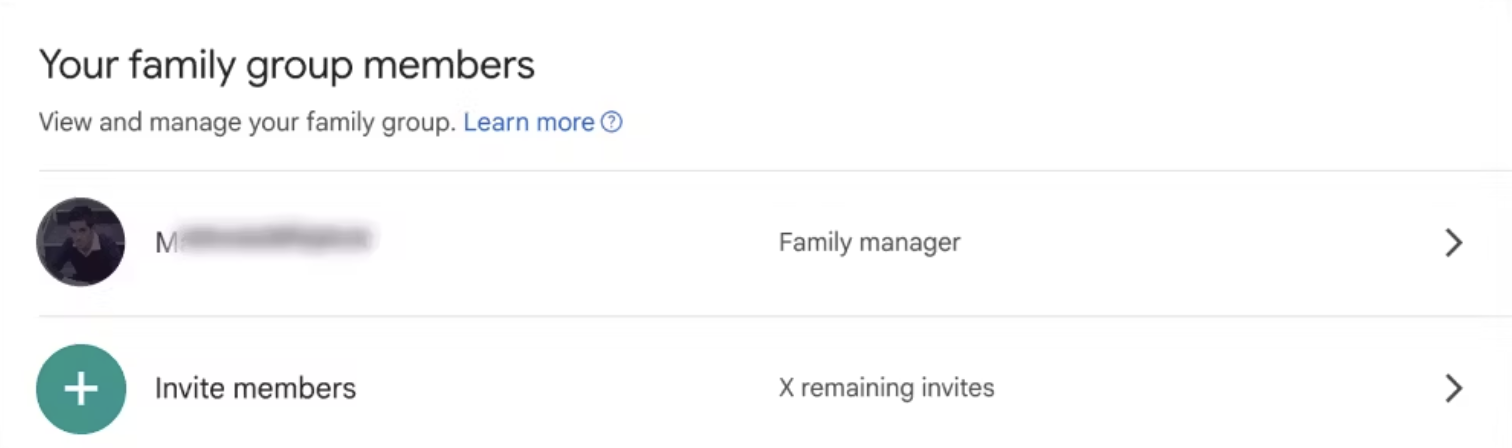
3️⃣ Sur la nouvelle page, cliquez sur Gérer la souscription. Puis entrez dans la section Paramètres de partage familial.

4️⃣ Ajoutez votre co-abonné à votre Famille YouTube en l'invitant via cet écran, grâce à l'adresse email qu'il vous aura fourni via Spliiit.
👤 La méthode pour rejoindre un partage pour le co-abonné :
Vous venez de rejoindre un partage YouTube Premium Famille sur Spliiit, suivez les étapes suivantes :
1️⃣ Le co-abonné invité reçoit l'email d'invitation, afin de rejoindre l'abonnement du propriétaire.

2️⃣ Acceptez l'invitation, puis confirmez le compte que vous souhaitez utiliser pour rejoindre la famille YouTube.
🎧 Voilà, c'est fait : le tutoriel est terminé :) Facile, non ? 🍿
Foire aux questions
YouTube Premium





















