
Comment supprimer une langue sur Duolingo : enlever un cours en 2 minutes (app + web)


.png)
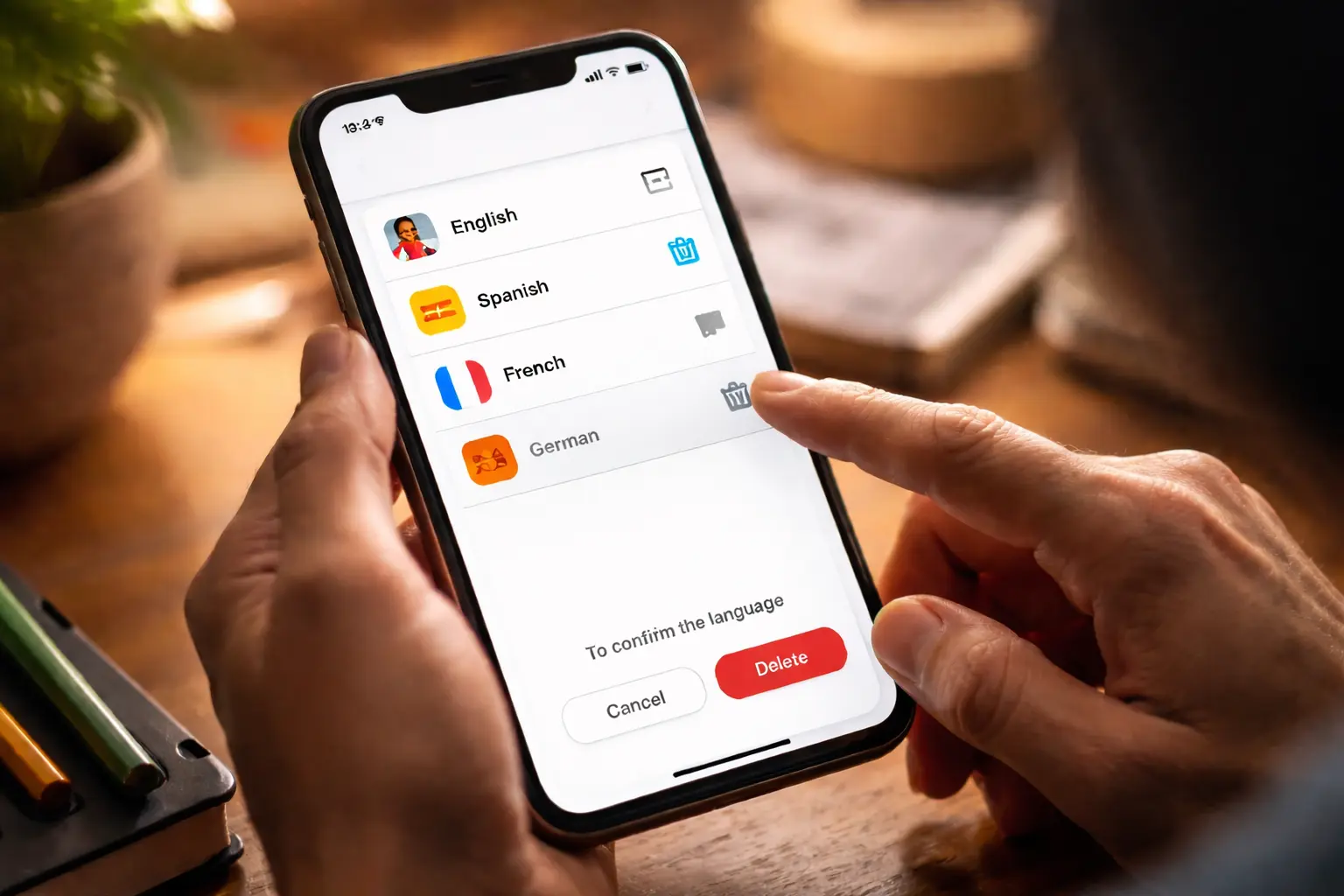
Vous cherchez comment supprimer une langue sur Duolingo ou comment enlever une langue sur Duolingo ? En pratique, Duolingo ne “supprime” pas une langue du monde : vous retirez un cours (ex : “Espagnol”, “Japonais”) de votre profil, ce qui le fait disparaître de votre liste de langues apprises/étudiées.
Dans ce guide, vous allez apprendre :
- comment enlever une langue sur Duolingo depuis l’app (iOS/Android)
- comment le faire depuis le site (ordinateur)
- la différence entre supprimer et réinitialiser un cours
- quoi faire si vous n’arrivez pas à supprimer (cas fréquents)
- et, en bonus : comment optimiser le coût de Super Duolingo si vous payez Premium
⚠️ Important : supprimer un cours est en général définitif (progression supprimée). Duolingo le rappelle dans son centre d’aide.
Supprimer une langue sur Duolingo : ce que ça fait exactement
Quand vous “supprimez une langue” :
- le cours disparaît de votre profil (plus de drapeau dans votre liste)
- votre progression sur ce cours est supprimée (et ce n’est pas prévu pour être récupéré ensuite)
Si vous hésitez, regardez d’abord la section “Réinitialiser vs supprimer” plus bas.
Méthode 1 — Enlever une langue sur Duolingo depuis l’application (Android / iPhone)
C’est la méthode la plus simple.
- Ouvrez l’app Duolingo
- Allez sur votre Profil
- Ouvrez Paramètres (icône engrenage)
- Appuyez sur Gérer mes cours
- Sélectionnez le cours (la langue) à enlever, puis confirmez la suppression
✅ Après confirmation, le cours ne devrait plus apparaître dans votre liste.
Méthode 2 — Supprimer une langue sur Duolingo depuis le site (ordinateur)
Si l’option n’apparaît pas sur votre mobile, passez par la version web : c’est souvent le meilleur contournement quand l’app fait des siennes.
- Connectez-vous à Duolingo sur navigateur
- Ouvrez vos Paramètres
- Accédez à la gestion des cours (souvent nommé “Gérer mes cours”)
- Choisissez le cours à supprimer, puis validez
Réinitialiser vs supprimer un cours : quelle différence ?
Duolingo distingue généralement :
- Réinitialiser : vous gardez la langue, mais vous remettez votre progression à zéro.
- Supprimer/retirer : vous retirez la langue de votre profil (le cours disparaît).
Les deux actions peuvent avoir un effet “irréversible” sur votre progression, donc à faire uniquement si vous êtes sûr.
“Impossible de supprimer une langue sur Duolingo” : causes fréquentes et solutions
1) Vous êtes sur le mauvais compte (ou mauvais profil)
Ça arrive beaucoup si vous vous connectez via Google/Apple/Facebook.
➡️ Solution : vérifiez l’adresse email du compte Duolingo (sur la page Compte/Paramètres), puis réessayez.
2) L’option “Gérer mes cours” n’apparaît pas
Certaines versions/appareils affichent différemment les menus.
➡️ Solution la plus fiable : faites la suppression depuis le site web (méthode 2).
3) Vous essayez de supprimer un cours “spécifique” lié à une langue de base
Parfois, la suppression dépend de la langue “source” (langue d’interface) et du cours actif.
➡️ Solution : basculez d’abord sur un autre cours que vous gardez, puis réessayez la suppression (ou passez par le web). (C’est un contournement souvent rapporté quand l’app bloque.)
4) Vous avez peur de perdre vos XP / votre streak
En général :
- supprimer un cours affecte surtout la progression du cours retiré
- votre usage global du compte (streak) dépend de votre activité, mais supprimer un cours n’est pas un “pause magique”
➡️ Si l’objectif est juste de “nettoyer”, envisagez plutôt de changer de cours actif sans supprimer.
Bonus : si vous payez Duolingo, optimisez le coût (Super Duolingo Family)
Si vous utilisez Duolingo sérieusement, vous avez peut-être Super Duolingo. Et si vous êtes plusieurs à apprendre (famille / couple / coloc), le vrai levier n’est pas de multiplier les abonnements individuels : c’est le Family Plan, prévu pour inviter et gérer plusieurs membres depuis votre compte.
Sur Spliiit, l’approche est exactement celle-là : répartir proprement le coût d’un abonnement multi-utilisateurs (quand c’est prévu par l’offre), au lieu de faire des virements “notés dans un coin”. (Pratique si vous cumulez aussi d’autres abonnements.)
FAQ — Supprimer une langue sur Duolingo
Comment enlever une langue sur Duolingo ?
Dans l’app : Profil → Paramètres → Gérer mes cours → sélectionnez le cours → supprimer/retirer.
Comment supprimer une langue sur Duolingo depuis un ordinateur ?
Connectez-vous sur Duolingo web → Paramètres → gestion des cours → supprimer le cours.
Est-ce que je peux récupérer ma progression après suppression ?
En général, non : Duolingo indique que la suppression/réinitialisation retire votre progression et n’est pas prévue pour être annulée.
Pourquoi je n’arrive pas à supprimer un cours ?
Souvent : option manquante sur l’app, mauvais compte, ou blocage lié au cours actif. Le contournement le plus fiable : le faire sur navigateur web.
À retenir
- “Supprimer une langue sur Duolingo” = retirer un cours de votre profil.
- La méthode la plus simple : Profil → Paramètres → Gérer mes cours → supprimer.
- Si ça bloque : faites-le sur la version web.
Foire aux questions
Duolingo





















