
Comment partager ou rejoindre un service sur Spliiit ?


.png)

- 🔐 Partage des identifiants : le propriétaire de l'abonnement fournit son nom d'utilisateur et mot de passe, partagés via le coffre fort Spliiit. Nous conseillons d’utiliser un mot de passe dédié au partage !
- 🔗 Partage via lien d'invitation : le propriétaire du compte invite ses co-abonnés via un lien, souvent envoyé par email.
👑 Le propriétaire :
Sur Spliiit, le propriétaire est celui qui ajoute son offre multi-utilisateurs.
Il dispose de places libres sur son abonnement et souhaite partager ses accès pour faire des économies.
1️⃣ Après avoir créé votre compte Spliiit et choisi votre pays de résidence, cliquez sur Proposer.
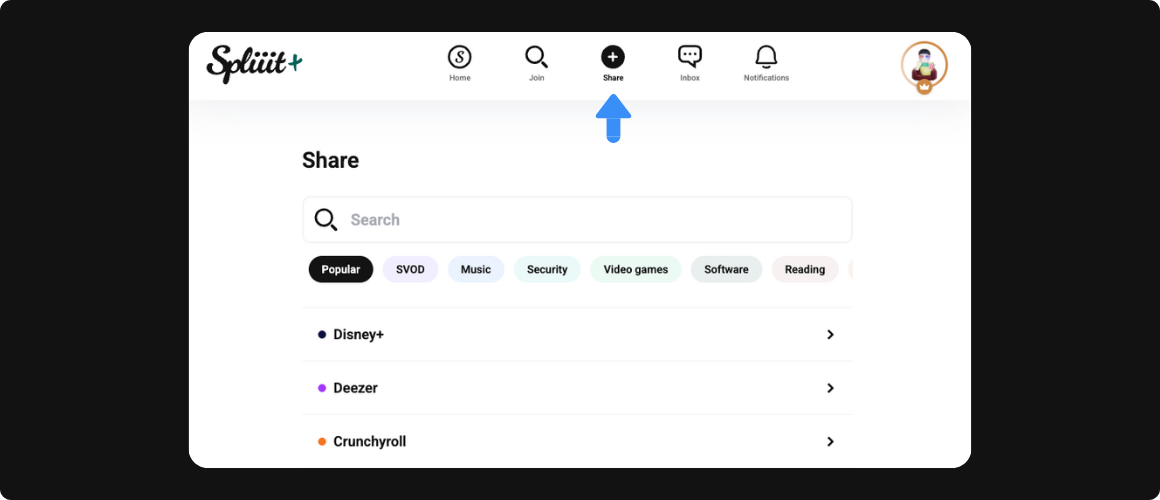
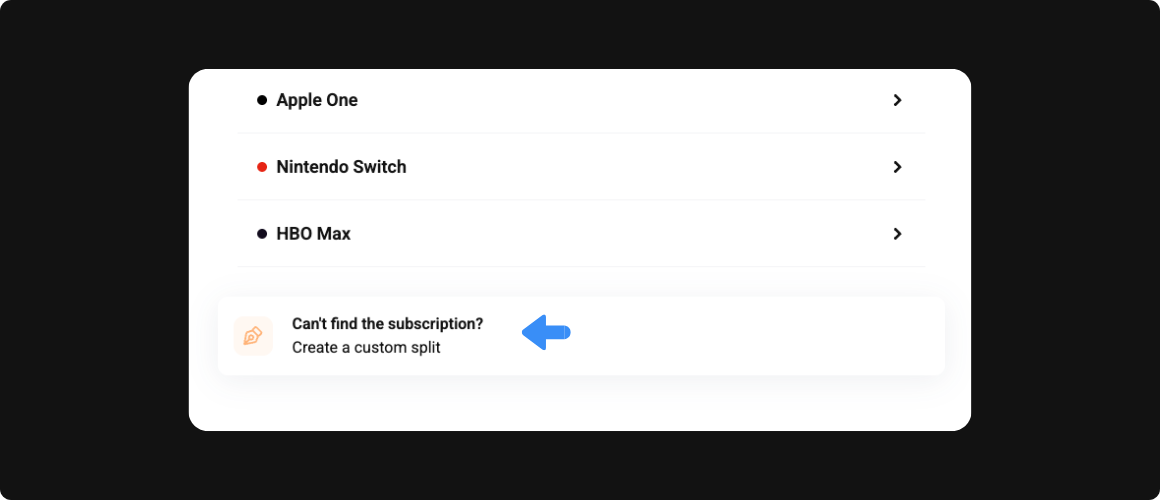
2️⃣ Sélectionnez ensuite le service que vous souhaitez partager. Accédez à la liste complète si l'abonnement recherché ne se trouve pas dans les suggestions.
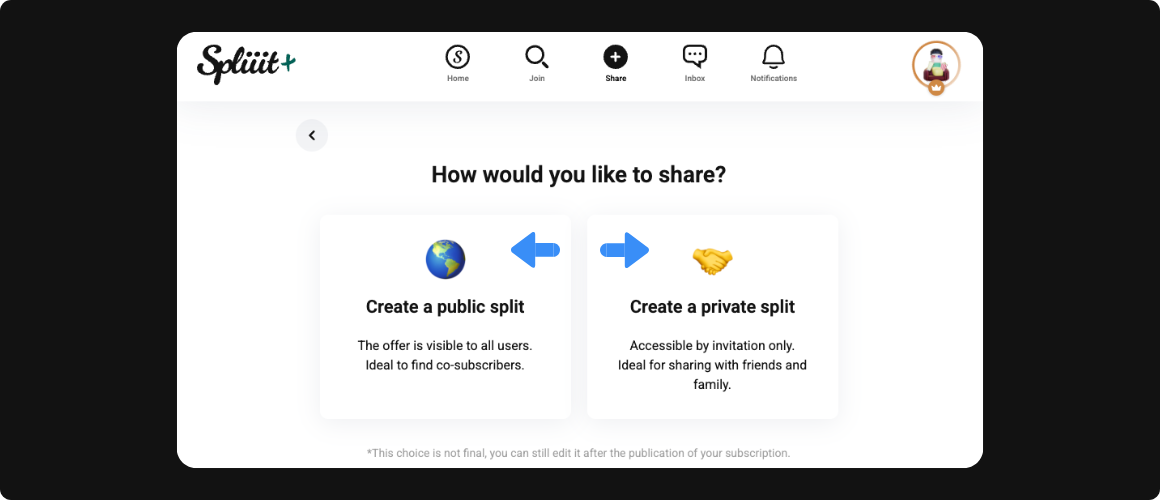
3️⃣ Choisissez ensuite le type de partage pour l'abonnement en question :
- 🌍 Soit vous créez un partage public pour que tous les utilisateurs(trices) voient les places disponibles dans votre abonnement et trouvez ainsi facilement des co-abonné(e)s
- 🤝 Soit vous partagez de façon 100% privée, car vous savez déjà avec qui vous souhaitez diviser vos frais. Vous choisissez donc d'inviter vos connaissances à devenir vos co-abonné(e)s
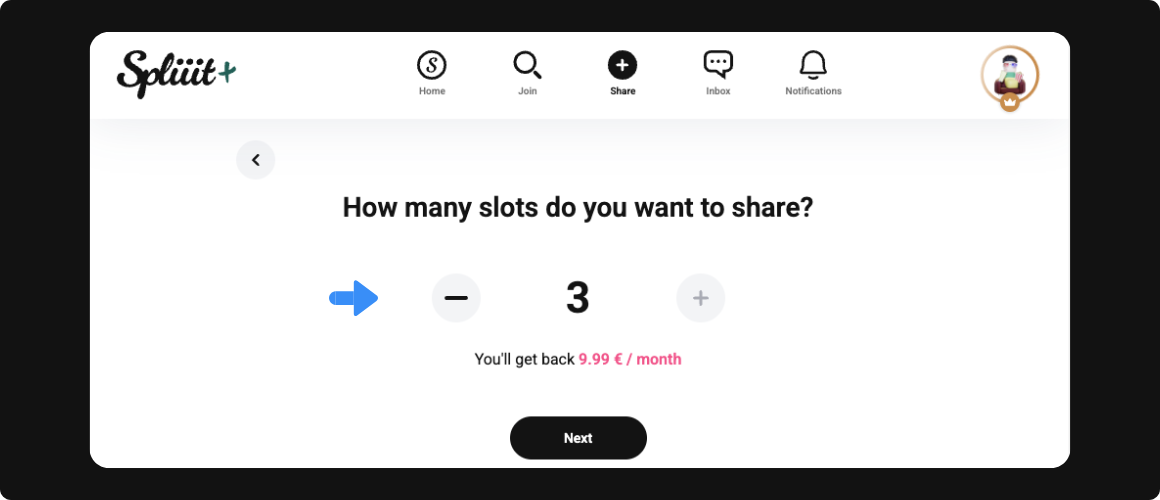
4️⃣ En fonction de l'abonnement choisi, décidez ensuite du nombre de places que vous souhaitez partager.
5️⃣ Tout est prêt ! Cochez la case des CGU puis cliquez sur Créer.
6️⃣ L'abonnement en question a maintenant été ajouté à votre Tableau de Bord. Vous êtes prêt(e) à recevoir des demandes de co-abonné(e)s qui souhaitent participer à votre abonnement (en cas de partage public).
.png)
💡 TIPS pour le propriétaire :
- ⏳ Il dispose de 48h pour accepter une demande de co-abonnement.
- 🇫🇷 Il peut uniquement partager un abonnement s'il est issu de son pays de résidence.
- 👥 Il s'assure de disposer d'un abonnement multi-comptes avant de le proposer au partage.
👤 Le co-abonné :
Sur Spliiit, le co-abonné est celui qui rejoint une offre multi-utilisateurs via la Marketplace.
Il occupe l'une des places libres sur l'abonnement d'un propriétaire et apporte sa participation aux frais.
1️⃣ Accédez à la Marketplace de Spliiit symbolisée par l'icône 🔍.
2️⃣ Recherchez ou sélectionnez l'abonnement que vous souhaitez rejoindre parmi toutes les catégories du site.
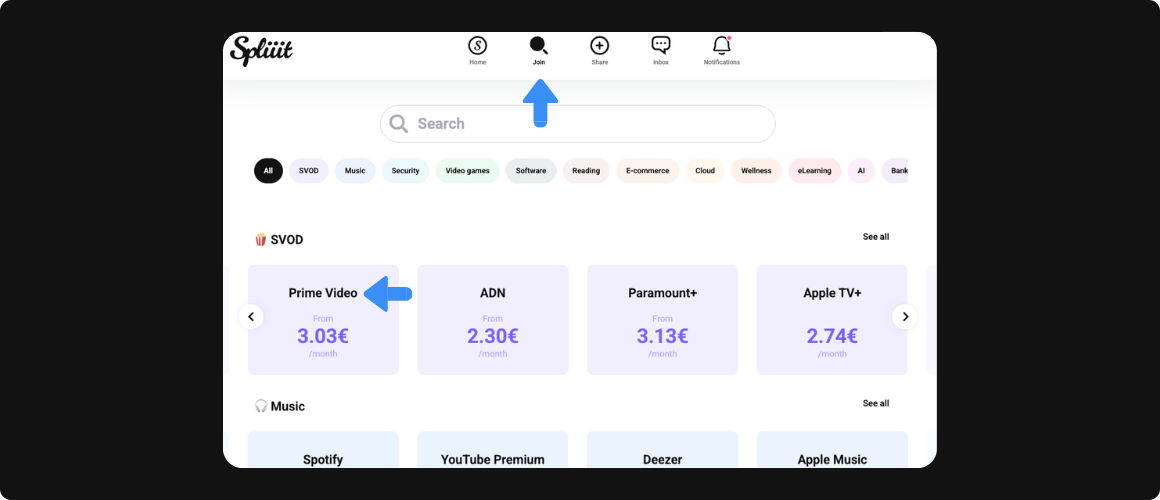
3️⃣ Vous arrivez sur une liste d'offres : choisissez l'un des propriétaires et cliquez sur Rejoindre.
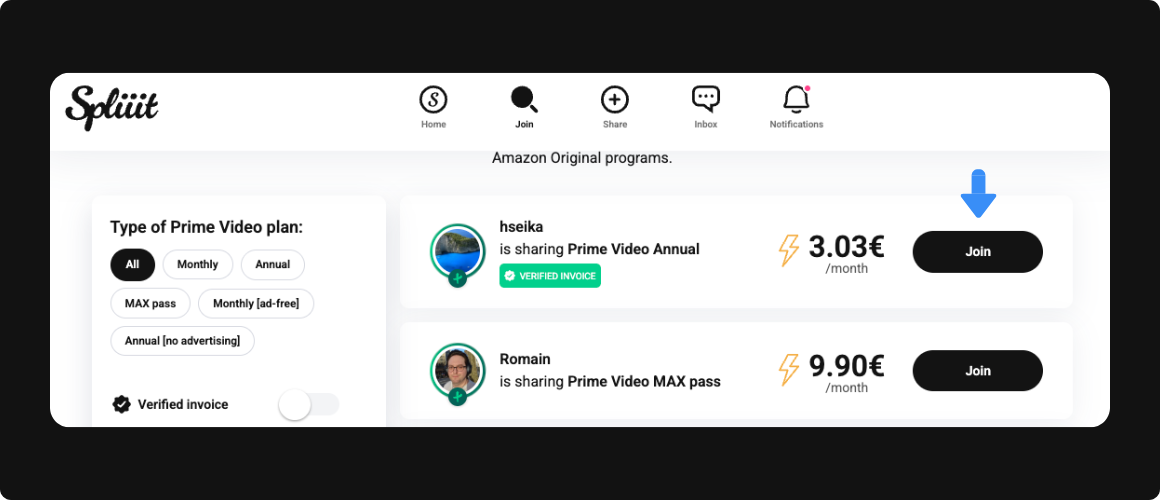
4️⃣ Cochez la case des CGU puis choisissez le moyen de paiement souhaité.
- 👛 Soit vous utilisez votre solde, que vous avez accumulé en partageant vos abonnements ou que vous avez préalablement rechargé
- 💳 Soit vous payez par carte bancaire, directement depuis votre moyen de paiement
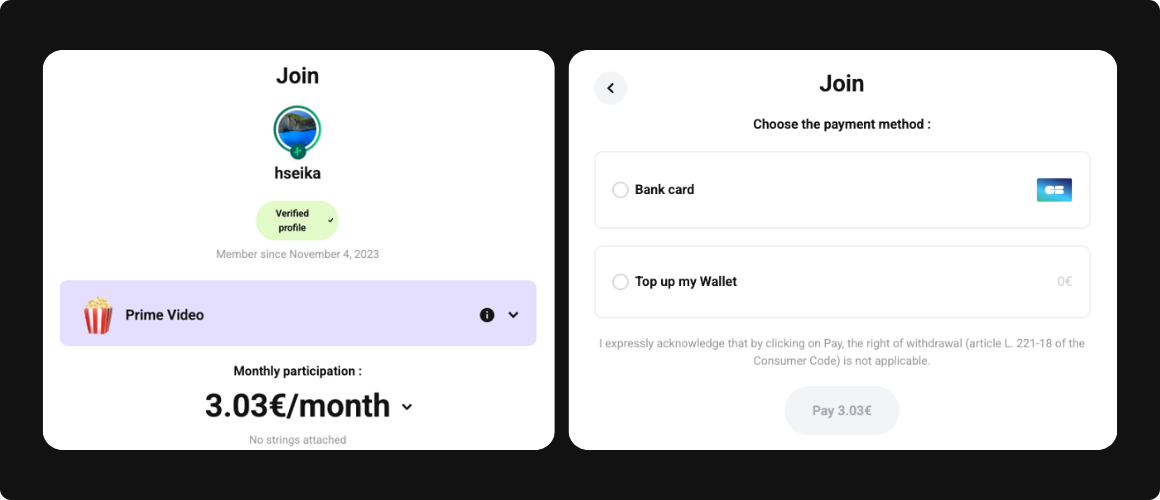
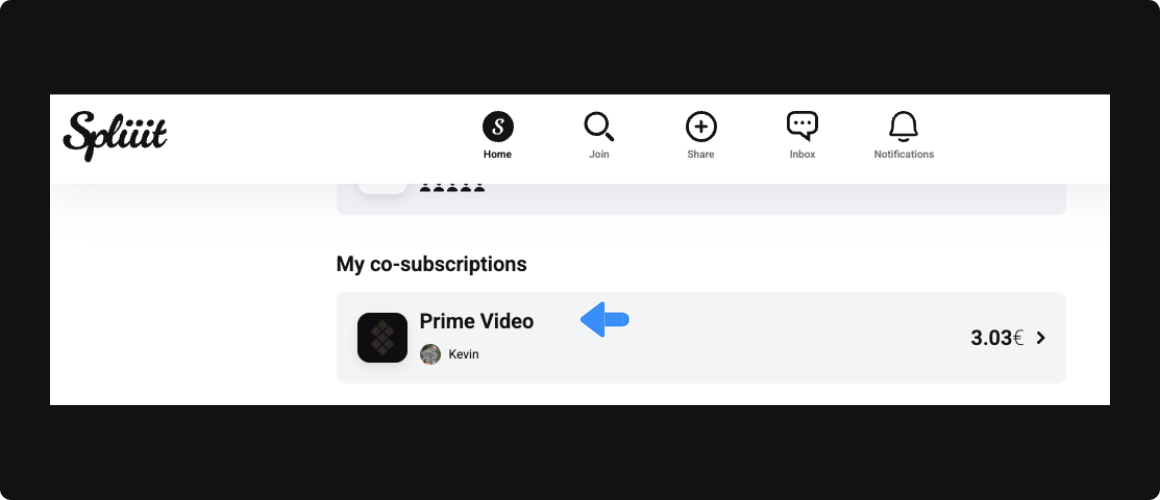
5️⃣ Suite au paiement, vous pourrez voir l'évolution de votre demande sur votre Tableau de Bord.
6️⃣ Vous avez maintenant rejoint l'abonnement ! Vous y trouvez votre accès qui se matérialise soit par les identifiants du propriétaire. Soit par un lien d'invitation envoyé par mail.
💡 TIPS pour le co-abonné :
- 🆓 Il peut se désabonner à tout moment, Spliiit est sans engagement !
- 🔙 Il peut demander un remboursement si l'abonnement qu'il a payé ne fonctionne pas.
- ☝️ Il n'utilise qu'un seul dispositif pour accéder à l'abonnement, correspondant à la place payée.
D'autres questions sur le fonctionnement de Spliiit ? Consultez la FAQ et notre centre d'aide ou écrivez-nous sur le chat du site !
Vous avez désormais toutes les clés pour proposer vos abonnements et/ou vous abonner à d'autres services 📚 !
Foire aux questions
Deezer




















